
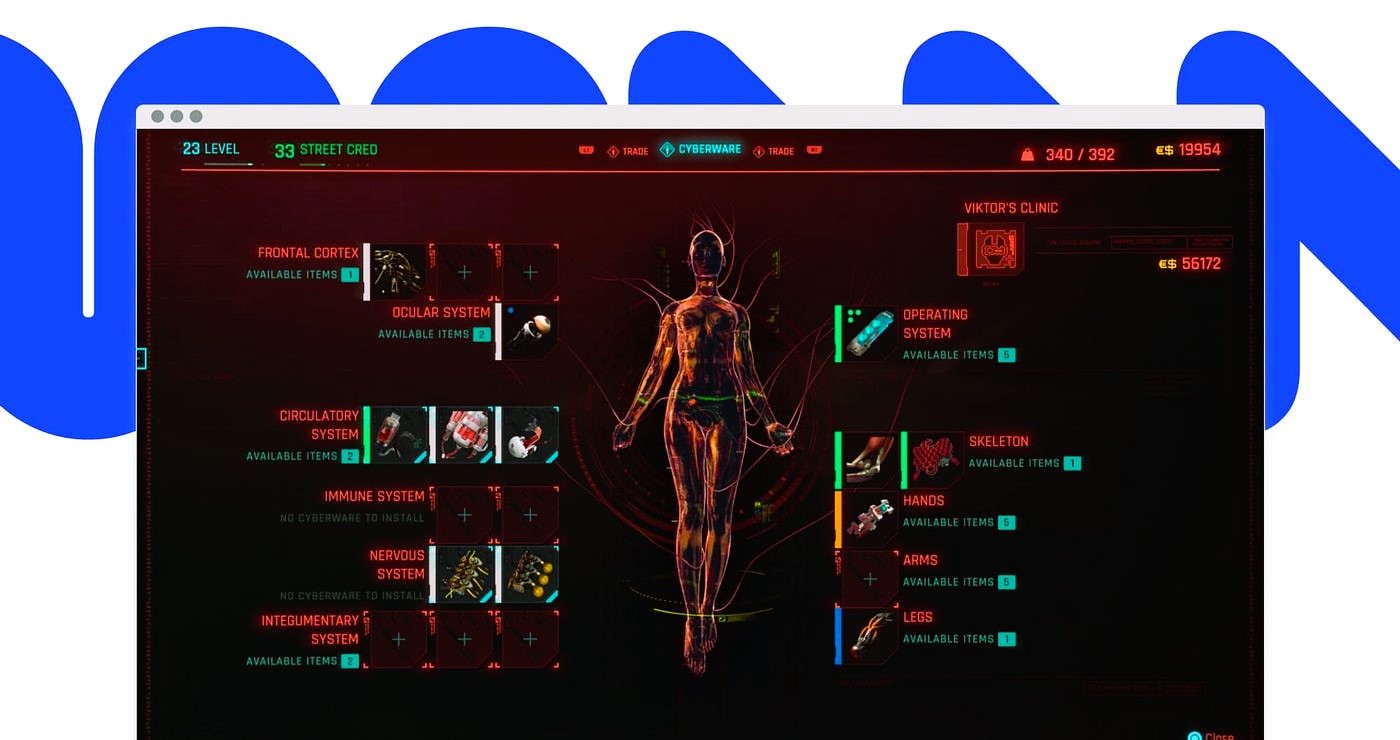
In the dynamic field of game development, creating an engaging and intuitive user interface (UI) is crucial for the success of any game. While designers and developers work tirelessly to build a functional and visually appealing UI, the true measure of its effectiveness often comes from the players themselves. User feedback is an invaluable resource that can guide improvements and ensure that your game’s interface meets the needs and expectations of its audience. This article explores how to effectively gather and utilize user feedback to refine your game’s UI, providing actionable strategies and insights to enhance the player experience.
Understanding the Importance of User Feedback
User feedback offers direct insights into how players interact with your game’s UI and can reveal areas for improvement that might not be apparent during development. By paying attention to feedback, developers can identify usability issues, uncover design flaws, and discover opportunities to enhance the overall gaming experience. According to a study by Nielsen Norman Group, user feedback is essential for understanding real-world usage patterns and addressing pain points that affect player satisfaction.
Methods for Collecting User Feedback

1. Surveys and Questionnaires
Surveys and questionnaires are a common method for gathering structured feedback from players. These tools can be used to collect quantitative data on various aspects of the UI, such as ease of navigation, visual appeal, and functionality. Designing clear and concise questions can help players provide specific feedback on their experiences.
For example, you might ask players to rate their satisfaction with different UI elements or provide feedback on specific features. Analyzing the responses can help identify trends and areas that need attention.
2. User Testing Sessions
User testing involves observing players as they interact with your game’s UI in real-time. This method provides valuable qualitative insights into how players navigate the interface and where they encounter difficulties. During user testing sessions, developers can watch players’ reactions, listen to their comments, and note any issues they experience.
Conducting user testing with a diverse group of players can offer a broad perspective on how different demographics interact with the UI. This feedback can be instrumental in refining the interface to better meet the needs of various player segments.
3. In-Game Feedback Tools
Integrating feedback tools directly into your game allows players to provide comments and report issues while they are actively playing. This approach makes it easy for players to share their thoughts without interrupting their gaming experience.
In-game feedback tools can include features such as feedback buttons, bug reporting forms, and suggestion boxes. Providing players with an easy way to submit feedback can increase the volume of responses and help developers gather real-time insights. Read our article on UI strategies for RPGs in more detail at this link.
4. Analyzing User Behavior
Tracking user behavior through analytics tools can provide valuable data on how players interact with the UI. Metrics such as click-through rates, heatmaps, and user flow analysis can reveal how players navigate the interface and where they may encounter obstacles.
By examining these metrics, developers can identify areas of the UI that are confusing or underperforming. For example, if players frequently abandon a particular screen or struggle with certain controls, this may indicate a need for design adjustments.
Applying User Feedback to Improve Your UI
1. Identifying Common Issues
One of the first steps in applying user feedback is to identify common issues reported by players. Look for recurring themes or patterns in the feedback, such as frequent complaints about navigation difficulty or confusion over specific features. Prioritizing these issues can help address the most pressing concerns and improve the overall usability of the UI.
2. Making Data-Driven Decisions
Using the data collected from surveys, user testing, and analytics, developers can make informed decisions about UI changes. For example, if user feedback indicates that a particular feature is often overlooked, consider redesigning it to make it more prominent or intuitive. Data-driven decisions ensure that changes are based on actual player experiences and needs.
3. Iterative Design and Testing
Improving a game’s UI is an iterative process. After implementing changes based on user feedback, conduct additional testing to evaluate the impact of these modifications. Iterative design involves continuously refining the UI based on ongoing feedback and testing, allowing developers to make incremental improvements and address new issues as they arise.
4. Communicating with Your Players
Maintaining open communication with players can enhance their experience and foster a sense of involvement in the development process. Inform players about the changes being made based on their feedback and express appreciation for their contributions. This transparency can build trust and encourage continued feedback.
5. Balancing Feedback with Design Goals
While user feedback is essential, it’s important to balance it with your design goals and vision for the game. Not all feedback will align with your overall design objectives, so carefully consider how to integrate suggestions while staying true to your creative direction.
Case Studies of Successful UI Improvements
1. “Fortnite”

Epic Games’ “Fortnite” is an example of a game that has successfully utilized user feedback to enhance its UI. The developers regularly collect feedback from players and use it to make iterative improvements to the game’s interface. Changes such as adjustments to the inventory system and updates to the battle pass interface were made in response to player suggestions and feedback.
2. “The Legend of Zelda: Breath of the Wild”
In “The Legend of Zelda: Breath of the Wild,” developers incorporated feedback to refine the game’s minimalist UI. Based on player feedback, adjustments were made to ensure that essential information was accessible without cluttering the screen, resulting in a more immersive and intuitive experience.
3. “Overwatch”
Blizzard Entertainment’s “Overwatch” has a dynamic UI that was shaped by extensive player feedback. The developers continuously refine UI elements based on player input, ensuring that important information such as ability cooldowns and team status is presented clearly and effectively.
Utilizing user feedback to improve your game’s interface is a critical component of successful game development. By employing various feedback collection methods, analyzing user behavior, and making data-driven decisions, developers can create more intuitive and engaging UIs. Iterative design and open communication with players further enhance the development process, ensuring that the game’s interface meets the needs and expectations of its audience.
For more information on standards and best practices in UI design, visit Wikipedia’s page on User Interface Design.
Incorporating user feedback into your UI design process not only improves the functionality of your game but also enhances player satisfaction and engagement. By understanding and addressing the needs of your players, you can create a more enjoyable and effective gaming experience.