
The evolution of game UI (user interface) design reflects the broader advancements in technology and changes in player expectations. From the pixelated screens of early arcade games to the sleek, immersive interfaces of modern gaming experiences, the journey of game UI design is a fascinating one. This article explores the progression of game UI design, highlighting key milestones and examining how the field has evolved from its retro origins to its contemporary state.
The Early Days: Retro UI Design
In the early days of video games, UI design was a fundamental but rudimentary aspect of game development. The primary focus was on functionality rather than aesthetics. Early game UIs were constrained by hardware limitations and technological constraints, leading to the development of simple, text-based interfaces and basic visual elements.
1. Text-Based Interfaces:
Text-based UIs were common in the 1970s and early 1980s, where games like Adventure (1979) and Zork (1980) utilized textual commands and descriptions. These interfaces provided players with textual feedback and instructions, often requiring them to type in commands to interact with the game world. While simplistic, these UIs laid the groundwork for how players would interact with games.
2. Pixelated Graphics:
As technology advanced, the 8-bit and 16-bit eras brought pixelated graphics to the forefront. Games like Pac-Man (1980) and Donkey Kong (1981) featured UI elements integrated into the game’s visual design. Scoreboards, health bars, and lives were displayed using pixel art, which, despite its limitations, provided players with essential information in a visually engaging manner.
3. Minimalist Overlays:
The late 1980s and early 1990s saw the introduction of minimalist overlays. Games like Super Mario Bros. (1985) and The Legend of Zelda (1986) used simple HUD (heads-up display) elements to convey critical game information such as health, score, and inventory. These UIs were designed to be unobtrusive, allowing players to focus on the gameplay while still providing necessary feedback.
The Growth Era: Expanding Horizons
As gaming technology continued to advance, the 1990s and early 2000s marked a period of significant growth and experimentation in UI design. Developers began exploring new ways to enhance the gaming experience through more complex and dynamic interfaces.
1. Immersive HUDs:
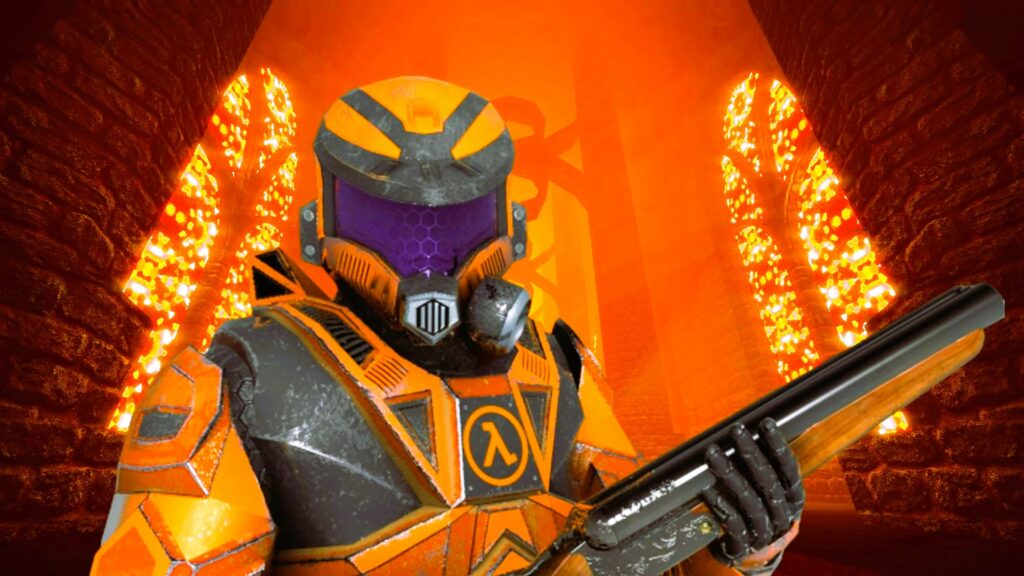
With the advent of 3D graphics, games like Doom (1993) and Half-Life (1998) introduced immersive HUDs that integrated seamlessly into the game’s environment. These UIs featured dynamic elements such as ammo counts, health bars, and objective markers that adapted to the gameplay. The aim was to create a more immersive experience by blending UI elements with the game world.
2. Contextual Interfaces:
The late 1990s and early 2000s also saw the rise of contextual interfaces. Games like Deus Ex (2000) and Halo: Combat Evolved (2001) incorporated context-sensitive elements that changed based on player actions and in-game events. This approach provided players with relevant information without overwhelming them with static UI elements.
3. Menu Systems and Inventory Management:
The introduction of complex game worlds and expansive content necessitated more sophisticated menu systems and inventory management. Games like The Elder Scrolls III: Morrowind (2002) and World of Warcraft (2004) featured extensive menus for character customization, quest tracking, and item management. These UIs were designed to handle large amounts of data while maintaining usability and accessibility.
The Modern Era: Sleek and Interactive Designs
The 2010s and beyond have seen the rise of modern UI design, characterized by sleek, interactive, and user-centric approaches. Advances in technology and design philosophy have transformed game UIs into integral components of the overall gaming experience.
1. Immersive and Dynamic UIs:
Modern games prioritize immersion and dynamic interaction. Titles like The Witcher 3: Wild Hunt (2015) and Red Dead Redemption 2 (2018) feature UIs that blend seamlessly with the game world, providing contextual information and feedback without breaking immersion. These UIs use subtle animations, environmental cues, and adaptive elements to enhance the player’s experience. How to create a responsive interface for mobile games, read our best practices.
2. Customizable and Player-Centric Interfaces:
Customization has become a significant trend in modern UI design. Games like Fortnite (2017) and Destiny 2 (2017) allow players to customize their HUDs and interface elements to suit their preferences. This player-centric approach ensures that the UI adapts to individual play styles and enhances overall satisfaction.
3. Integration with New Technologies:
The rise of virtual reality (VR) and augmented reality (AR) has introduced new challenges and opportunities for UI design. Games like Beat Saber (2018) and Pokémon GO (2016) incorporate VR and AR elements into their UIs, creating immersive and interactive experiences that blend digital and physical worlds. These UIs must be designed to accommodate different interaction paradigms and ensure a seamless user experience.
The evolution of game UI design reflects the broader advancements in technology and the changing expectations of players. From the simple, text-based interfaces of the early days to the sleek, immersive designs of modern gaming, the journey of game UI design is a testament to the innovation and creativity of the industry. As technology continues to advance, it will be exciting to see how game UIs will evolve to meet new challenges and enhance the gaming experience.
For more information on the history and standards of user interface design, you can explore the Wikipedia page on User Interface Design.